Latest posts
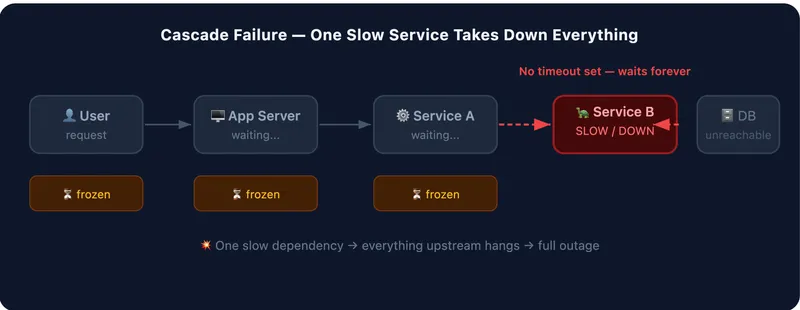
Your App Is One Slow API Away from Disaster — Here's How to Fix That
Learn how timeouts, retries, and circuit breakers stop a single slow API from cascading into a full outage in your production systems.
How to Add TanStack Query to an Astro + React Project
Learn how to integrate TanStack Query into an Astro project with React for efficient data fetching, caching, and mutations.
20 Awesome APIs to Enhance Your Development Projects
A curated list of 20 useful APIs spanning images, weather, news, payments, AI, and more to speed up your next project.

How to Add a Native Rich Text Editor in Your Expo App
Add a fast, fully native rich text editor to your Expo or React Native app using expo-rte, no WebView required, with formatting, toolbars, and undo/redo.
How to Deploy an AI Agent with Amazon Bedrock
Learn how to build, test, and deploy an AI agent with Amazon Bedrock AgentCore, from local setup to production deployment on AWS.
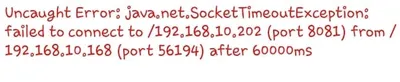
How to Fix the Expo "Network Response Timed Out" Error
Fix the Expo Metro bundler network response timed out error by opening the correct port on your machine.
Host Your Own S3-Compatible MinIO Server on a VPS with Caddy and HTTPS
Self-host S3-compatible object storage with MinIO on a VPS, secured with automatic HTTPS via Caddy on a custom subdomain.
Implementing MFA (TOTP) Authentication in a Full-Stack Web App
A step-by-step guide to adding Time-based One-Time Password (TOTP) multi-factor authentication to a full-stack web application.
Setting Up Husky, ESLint, and Prettier in a Node.js Application
A step-by-step guide to configuring Husky, ESLint, and Prettier in a Node.js application for consistent code quality and automated pre-commit checks.