
Integrating GitHub OAuth with Passport.js: Handling Email Validation
Photo by Gabriel Heinzer on Unsplash
Introduction:
OAuth authentication is a powerful way to enable users to log into your application using their existing accounts on popular platforms like Google and GitHub. Passport.js, a widely-used authentication middleware for Node.js, simplifies the process of implementing various authentication strategies, including OAuth. In this tutorial, we’ll delve into integrating GitHub OAuth with Passport.js, specifically addressing the challenge of handling email validation.
Prerequisites:
Before you begin, make sure you have a basic understanding of OAuth authentication, Node.js, and npm packages. Familiarity with GitHub OAuth and Passport.js will be beneficial for following this tutorial.
GitHub OAuth Integration and Email Retrieval:
In many OAuth authentication scenarios, you want to gather essential user information, such as their email, to ensure a seamless user experience. GitHub OAuth, however, introduces a unique challenge as not all users make their email publicly available on their profiles. This challenge necessitates a careful approach to ensure you retrieve accurate and valid email data.
To address this challenge, we’ll walk through the process of integrating GitHub OAuth with Passport.js and using the GitHub API to fetch the user’s email. We’ll focus on the following steps:
1. Setting Up Passport.js and GitHub OAuth:
Begin by creating a new Node.js application and installing the necessary dependencies, including Passport.js and the GitHub OAuth strategy. You’ll need to register your application on GitHub and obtain the clientID and clientSecret.
Install the required packages:
npm install passport passport-github2 node-fetch
Create the Passport.js configuration file and set up the GitHub strategy.
2. Fetching User Email from GitHub API:
To retrieve the user’s email from GitHub, we’ll use the GitHub API. Specifically, we’ll make a request to the `/user/emails` endpoint using the user’s access token. This approach ensures accurate and up-to-date email information.
Integrate the `node-fetch` package to handle API requests.
const fetch = require(‘node-fetch’);
// Inside GitHub strategy callback
try {
const emailResponse = await fetch(‘https://api.github.com/user/emails', {
headers: {
Authorization: `Bearer ${accessToken}`,
‘User-Agent’: ‘Your-App-Name’,
},
});
const emailData = await emailResponse.json();
// Find the primary email
const primaryEmail = emailData.find(email => email.primary);
if (primaryEmail) {
// Proceed with user registration or authentication
} else {
console.error(‘No primary email found.’);
done(null, false);
}
} catch (error) {
console.error(error.message);
done(null, false);
}
3. Integrating Email Retrieval with Registration
After fetching the user’s primary email from the GitHub API, integrate it with your user registration process. Create a new user record in your database using the retrieved email and other profile information.
const userData = {
firstName: profile._json.name.toLowerCase(),
lastName: profile._json.name.toLowerCase(),
email: primaryEmail.email, // Use the email from GitHub API response
picture: profile._json.avatar_url,
isConfirmed: true,
};
const user = await User.findOne({ email: userData.email }).select('-password');
if (user) {
return user;
}
const newUser = await User.create(userData);
done(null, user);
Conclusion: Integrating GitHub OAuth with Passport.js and handling email validation might initially seem like a complex task, but with the right approach, it becomes a valuable addition to your authentication strategy. By using the GitHub API to retrieve user email information, you ensure that your application obtains accurate and up-to-date data, leading to a more reliable and user-friendly experience for your users.
As you continue to develop and refine your authentication flow, the skills you’ve gained from this tutorial will prove beneficial. By addressing email validation challenges, you’re not only enhancing your application’s security but also creating a smoother onboarding process for your users.
In this tutorial, you’ve learned how to integrate GitHub OAuth with Passport.js while overcoming the challenge of email validation. By utilizing the GitHub API to fetch user email information directly, you’ve gained insights into a powerful approach to handling OAuth authentication. As you advance in your development journey, remember that continuous learning and problem-solving are key to mastering complex authentication scenarios and building robust applications.
Thank you for following along with this tutorial. Feel free to explore further customization options, refine your authentication flow, and delve into other authentication strategies supported by Passport.js. Happy coding!

> Written by
Emdadul Islam
Software Engineer. View profile →
Read more

How to Deploy an AI Agent with Amazon Bedrock AgentCore
Deploy AI agents with Amazon Bedrock AgentCore for scalable configuration on AWS, integrating with frameworks like LangGraph and CrewAI
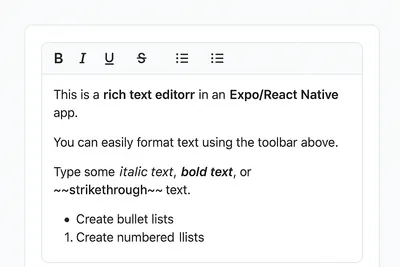
How to Add a Native Rich Text Editor in Expo / React Native (No WebView)
Use expo-rte for a native rich text editor in Expo/React Native, offering cross-platform, customizable, native performance without WebView
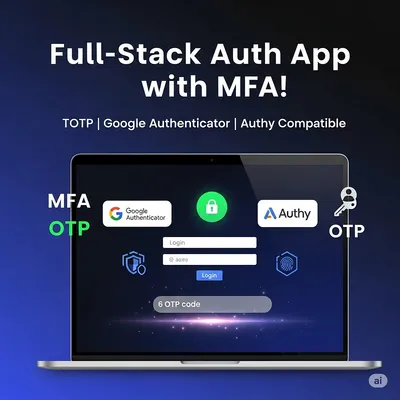
How to Implement Multi-Factor Authentication (MFA) with TOTP in Your Web Application
Learn to implement Multi-Factor Authentication (MFA) with Time-based One-Time Password (TOTP) in your web application for enhanced security